Full-page screenshots,
the way your phone does it.
Take a shot, tap Capture more to extend it down the page, annotate in place, then export to PNG, PDF or plain text.
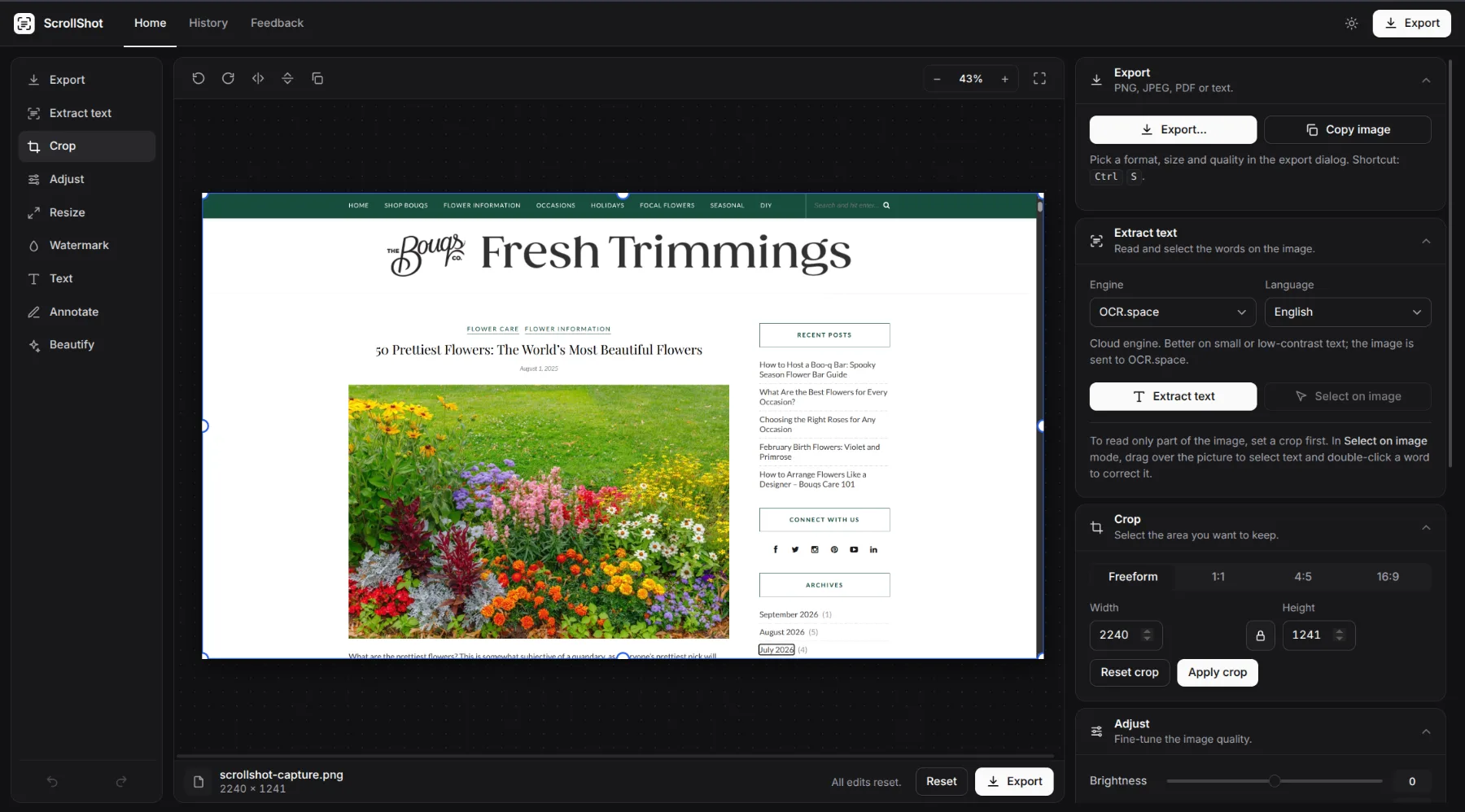
Everything between capture and share.
One extension for the shot, one workspace for everything you do with it. No uploads, no watermarks, no sign-up.
Scroll capture
Extend a screenshot one screen at a time, or capture the whole page at once. Sticky headers and scrollbars are hidden automatically.
Region and element
Drag a region or click any element on the page. Nested scroll containers such as chat apps are captured correctly.
Annotate in place
Arrows, boxes, highlights, numbered steps, text and pixelation for sensitive data. Move, resize, undo. Before anything is saved.
Presentation ready
Padding, rounded corners, a soft shadow and an optional browser frame. Pick a background and the export is ready for a slide or a post.
PDF and text
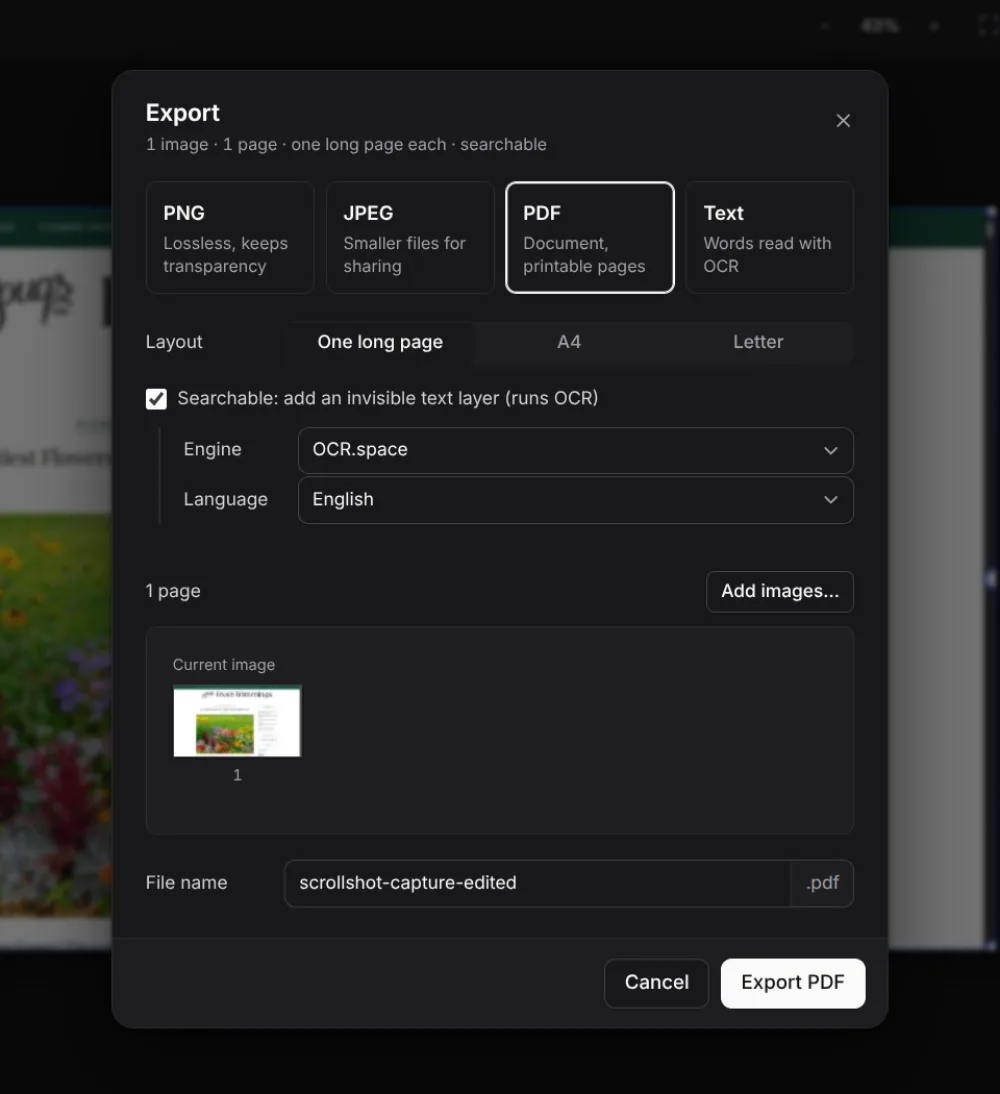
Export a single long page or paginated A4 / Letter, optionally searchable. Pull the text out with OCR that runs in your browser, or switch to a cloud engine for harder text.
Private by design
Images are processed on your device and never uploaded, unless you explicitly pick a cloud OCR engine for one extraction. The extension only touches the tab you are capturing, when you capture it.
Three steps, no learning curve.
If you have taken a scrolling screenshot on a phone, you already know how this works.
Capture
Click the toolbar icon or press AltShiftF. Pick visible area, full page, a region or an element.
Extend and edit
Tap Capture more until you have what you need, then crop, annotate and beautify right on the page.
Export
Copy or download PNG / JPEG, or send it to the workspace for adjustments, PDF export and text extraction.
A proper editor, in a tab.
The workspace runs the same editor as the extension and adds the tools you would otherwise open an image app for.
- Crop with 1:1, 4:5 and 16:9 presets or exact pixel sizes.
- Adjust brightness, contrast and saturation; grayscale and invert.
- Resize and trim to exact dimensions, auto-trim empty borders.
- Watermark and compress to a target file size.
- PDF and OCR in 13 languages, on your device by default.
Free. No account.
Nothing to upgrade.
What you see is the whole product, and it stays free. We are deciding what to build next from what you tell us, so if something is missing or broken, say so.